


cTrader Mobile 5.10 Makes Trading Easier on the Go
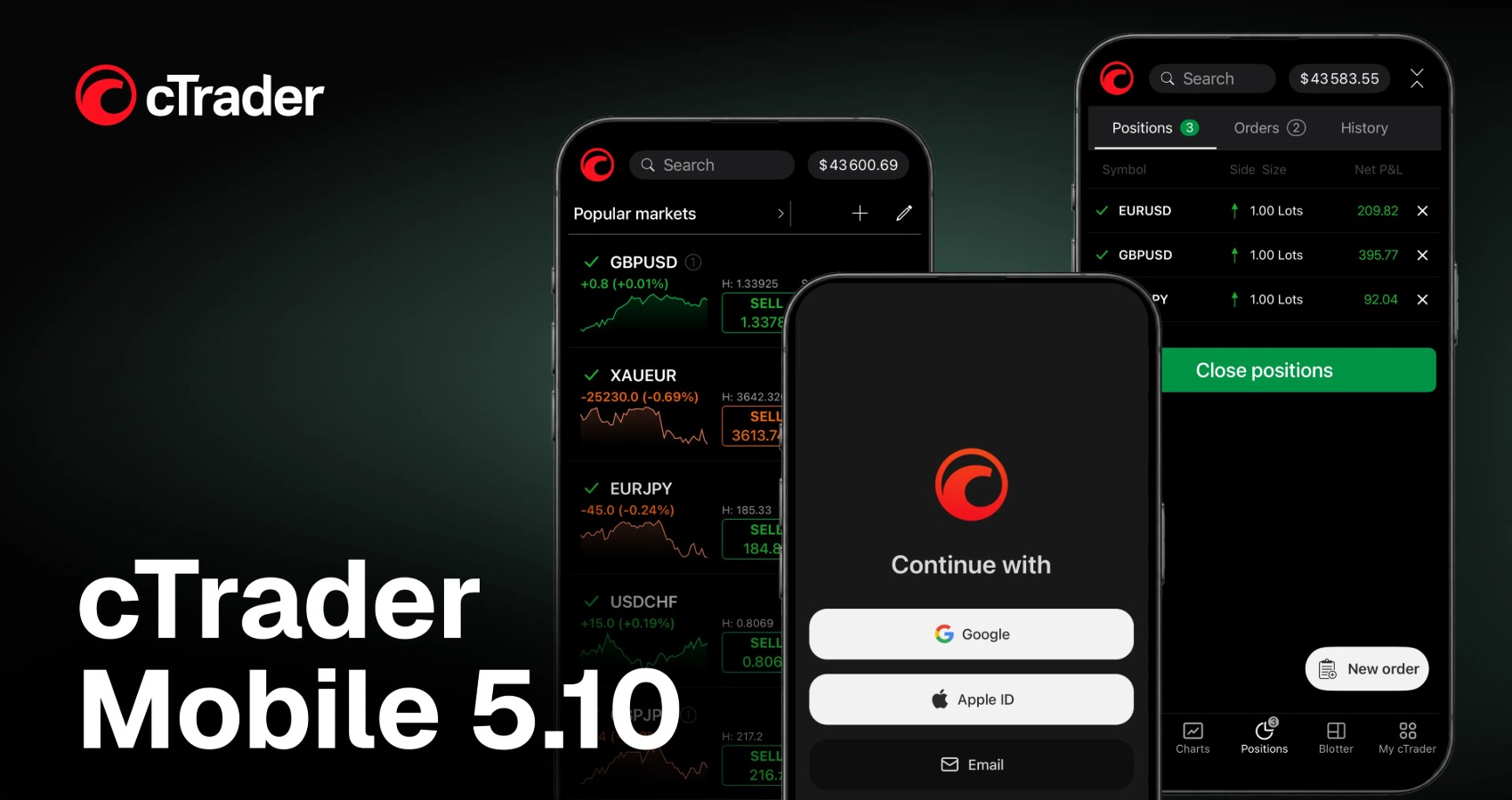
cTrader Mobile 5.10 brings a reorganized app layout to make everyday trading operations more convenient. The update moves trade management into Positions, and symbol search and watchlists now sit under Markets. It also introduces a new login screen that gives traders quicker access to the app.
Trading Activity
The new Positions app is available straight from the bottom navigation bar. It brings the main account-related trading activities together in one place. Traders can view all open positions in one list and modify positions, add protections, open charts, or check position details. The app also includes an Orders tab for pending orders and a History tab for closed trades. Traders can filter their trading history by period.
Symbols and Watchlists
cTrader Mobile 5.10 also introduces the Markets app, which replaces the previous Trade section. From Markets, traders can browse available symbols, create and edit watchlists, and switch between different watchlists. When traders select a symbol, they can access its overview and related tools. They can also view open positions and pending orders for that symbol, create and manage price alerts, and check trading history for a selected period.
Simplified Access
The update also brings a redesigned login screen to cTrader Mobile. New traders can create a cTrader ID using a Google account, email address, or Apple ID on iPhone and iPad. On future visits, they can use the same method to sign in.
cTrader Mobile
The mobile app can serve as an important point of contact between brokers and their clients. A simpler mobile experience can make everyday operations easier and support onboarding and long-term retention. cTrader Mobile 5.10 also gives brokers tools to use their branded mobile apps for acquisition. Brokers can promote their apps with the AppsFlyer SDK and track campaign performance.
They can identify which channels bring in prospective clients, compare campaign results, and see how traders engage after installing the app. It helps brokers understand which campaigns perform better and where they should focus their future acquisition efforts.
AppsFlyer Integration
Brokers can integrate AppsFlyer into their branded mobile apps to promote them, track where prospective traders come from, and optimise their ad spending based on campaign performance.
What Executive Says
Sergey Borisov, Head of Product Development, explained that Spotware keeps simplifying everyday trading operations through its Traders First approach. His comments stressed the thinking behind the latest update: the company has reorganised important areas of the app to reduce unnecessary steps and make core functions easier to access. He also indicated that future development will concentrate on how traders use the platform in their day-to-day activities.
About Spotware
Spotware Systems is a technology provider offering financial trading solutions. The company brings cTrader — a complete FX and CFD trading platform. Spotware creates innovative and transparent trading solutions. They have a "Traders First™" approach and prioritize the traders' needs and interests.
cTrader offers features, like advanced order types, extensive charting tools, Level II pricing, and low-latency execution. It also provides easy entry into algorithmic and social trading. Also, cTrader provides tools like cTrader Invite for attracting new traders, cTrader Copy for social trading, and cTrader Algo for automated trading.
Wrapping Up
cTrader Mobile 5.10 reorganises core parts of the app to make trading operations easier to access. For brokers, the update also adds opportunities to use branded mobile apps as acquisition channels and track campaign performance.
Register your company now and get featured on our homepage!